
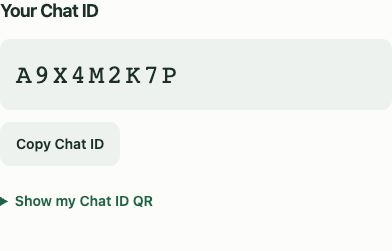
A little less of you, online.
A nine-character Chat ID is enough. Share it directly or connect with the built-in camera QR reader.
 Apply now
End-to-end encrypted conversations. Messages stay for 24 hours, or one. No phone number. No email address.
Explore the messenger
Your people stay.
Your messages don’t.

Readable on your device. Encrypted before they travel. Readable again by your contact.
Built on blockchain technology, with end-to-end encryption and encrypted storage on your device.
Your questions, answeredFollow an illustrative message
The message is encrypted on the sender’s device before transmission.
An interactive preview. No message is sent.
Small choices that make a conversation feel like yours.
A nine-character Chat ID is enough. Share it directly or connect with the built-in camera QR reader.
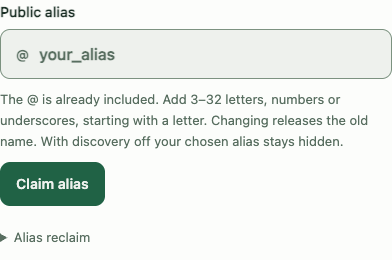
Use an alias if you want one. Decide whether people can find you by it. No public directory.
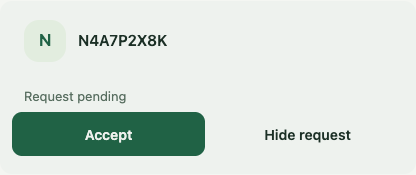
New contacts start with a request. Accept a conversation, hide an old request or block a contact.
Message timer
Preview: disappears from the app after 24 hours.
Messages disappear from Sifir after 24 hours, even if unread. Choose 1 hour for new messages. Your contacts and blocks stay.
Optional profile photos. Shared end-to-end encrypted, only with accepted contacts when you enable sharing.
No phone book to hand over.
No email inbox to connect.
Open Sifir and enter your activation code. Access currently requires an invitation.
Choose your password. Add an optional alias, or keep just your Chat ID.
Keep it somewhere safe. It restores account access, not every local chat.
Clear answers are part of trust.
Here’s what you should know.
Messages are end-to-end encrypted before they leave your device. Your contact’s device decrypts them so they can read the conversation.
No phone number or email is required to register. The service still needs account and operational records. Messages are stored encrypted on your device, for up to 24 hours.
Your Recovery Code can restore your account identity. It does not automatically restore all locally stored chat history. Keep the code secret and safely backed up. Anyone who obtains it may be able to recover your account.
Apply by email to admin@sifir.chat to request access. If you already have an account, open the messenger and unlock it with your password. Paid self-service registration is not offered on this page.
Apply nowSifir focuses on one-to-one text conversations. Calls, general file sharing and group chats are not offered. Optional encrypted profile photos are separate from message attachments.